If you like to customize your system, one tip is to change the bash prompt. You can add colors, information, date and time, etc.
I found a colorful prompt interesting that also shows a green smiley 😉 if the executed command returned 0 (success) or a red sad face 🙁 if the command returned 1 (failure).
To do this, edit the ~/.bashrc file (create the file if it doesn't exist).
nano ~/.bashrcAdd the following lines to the file:
PS1="\`if [ \$? = 0 ]; then echo -e '\[\e[01;32m\]:)'; else echo -e '\[\e[01;31m\]:('; fi\` \[\e[01;34m\][\[\e[01;32m\]\u@\h \[\e[01;34m\]\w\[\e[01;34m\]] $\[\e[00m\] "To see the result, run:
source ~/.bashrcDone! Check out the result:
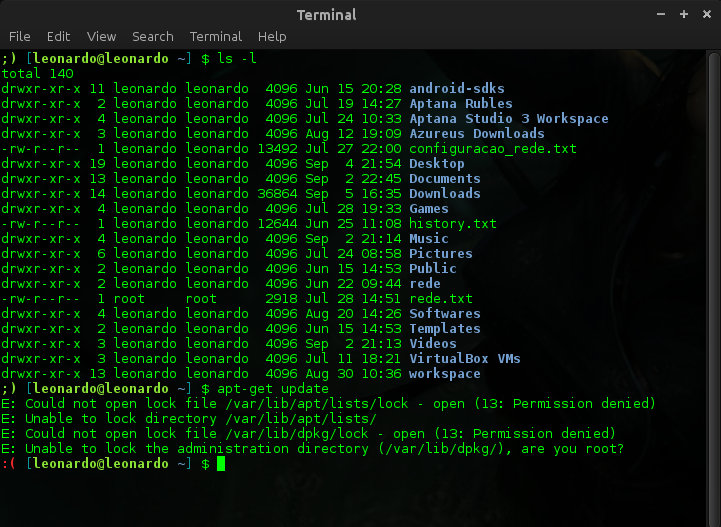
Colorful prompt with a smiley!
Source and more information:
Comments 0
No comments yet.