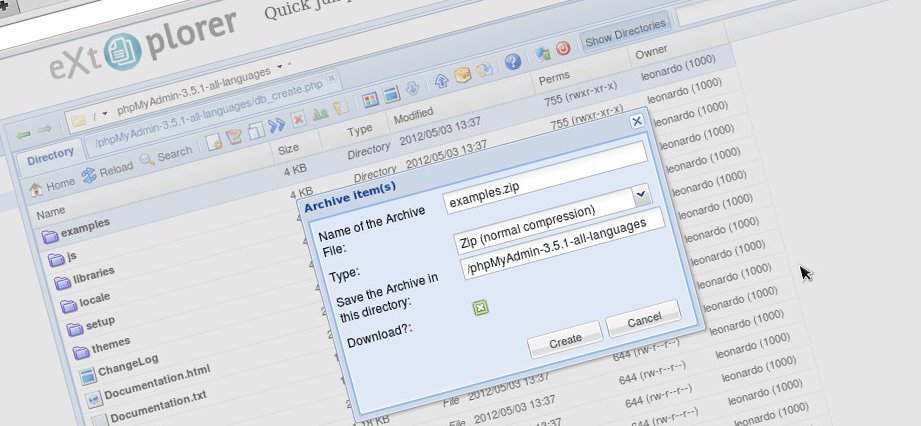

Often you need to make small changes to files or fix permissions, and being able to do that through the browser, without having to install and configure an ftp client, is great!
eXtplorer is a great file manager written in PHP with an ajax frontend built using EXTJS*. It has a few bugs here and there, but considering it's free, that doesn't matter. Speaking of which, its license can be either the Mozilla Public License (MPL 1.1) or the GNU General Public License (GNU/GPL), with one small detail: if you choose to distribute software that includes extplorer under the MPL, you won't be able to include ExtJS. In other words, you'll have to create another interface.
Setting the boring license talk aside, its main features are:
-
Copy and move files and directories using Drag & Drop
-
Dynamic directory tree with on-demand loading of subdirectories
-
File editing (with syntax highlighting thanks to EditArea)
-
Rename, delete or create new files and directories
-
File access using FTP or directly (PHP) to get around file permission problems
-
Upload and Download files
-
Compressing and decompressing files (Zip, Tar, Tar/GZ, Tar/BZ)
-
User management with different permission levels like "read only", "edit" and "admin"
-
Easy installation
-
As a component for Joomla
-
On Linux systems using a Debian package
-
Uploading the installation files
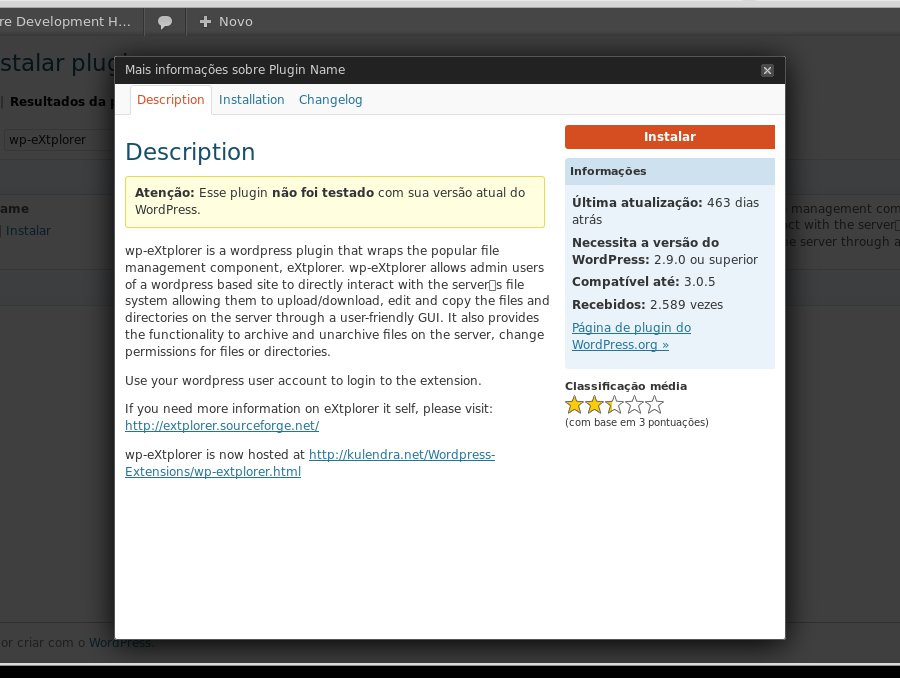
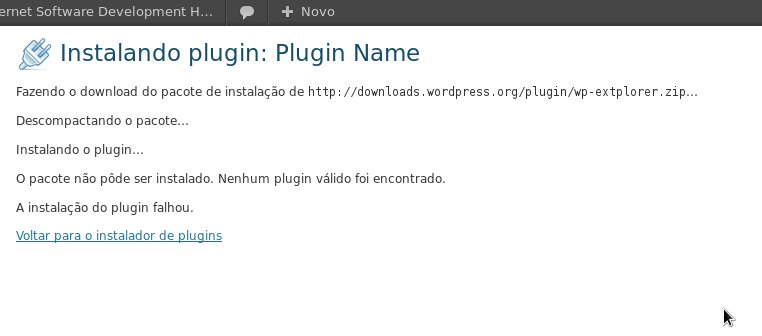
I've been using eXtplorer on Joomla sites for more than five years, and since then this software has helped me a lot with quick tasks on files of remote sites. eXtplorer even has a plugin for WordPress, called wp-eXtplorer, which in principle would serve as a wrapper for eXtplorer inside WordPress, but it didn't install on version 3.3.2. The plugin didn't even finish installing and the following message was shown:
Downloading installation package from http://downloads.wordpress.org/plugin/wp-extplorer.zip...
Unpacking the package...
Installing the plugin...
The package could not be installed. No valid plugins were found.
Plugin installation failed.
See the screenshots below:
The Joomla plugin works well because it's developed by the eXtplorer developers themselves.
Some screenshots:
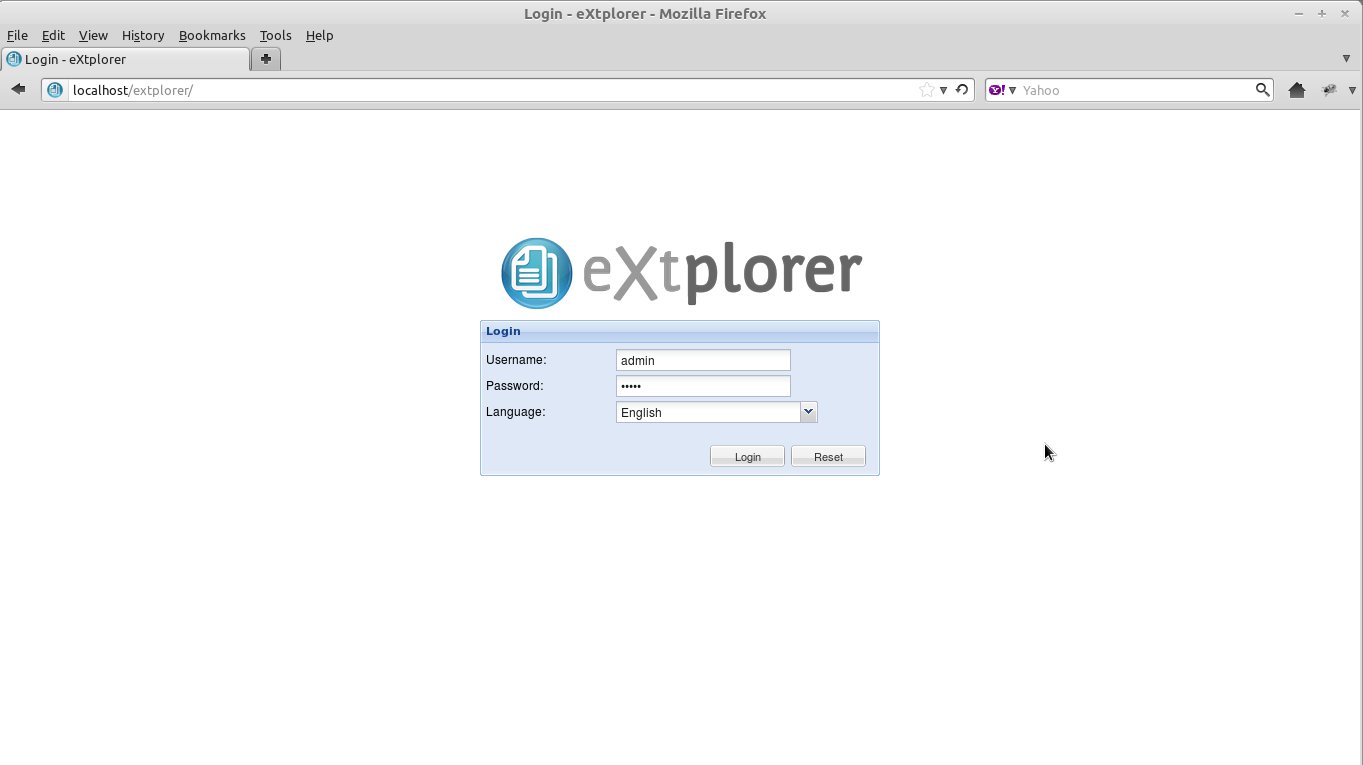
Extplorer Login
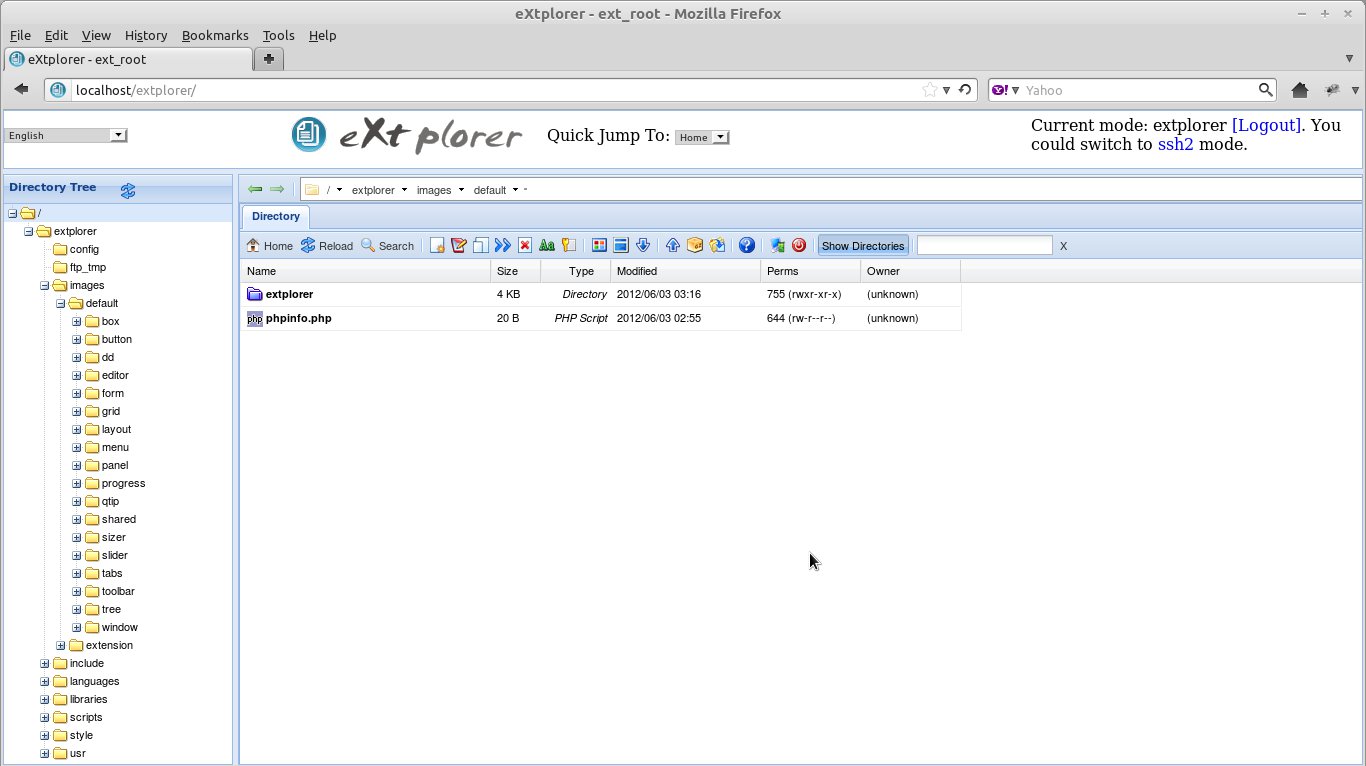
Extplorer
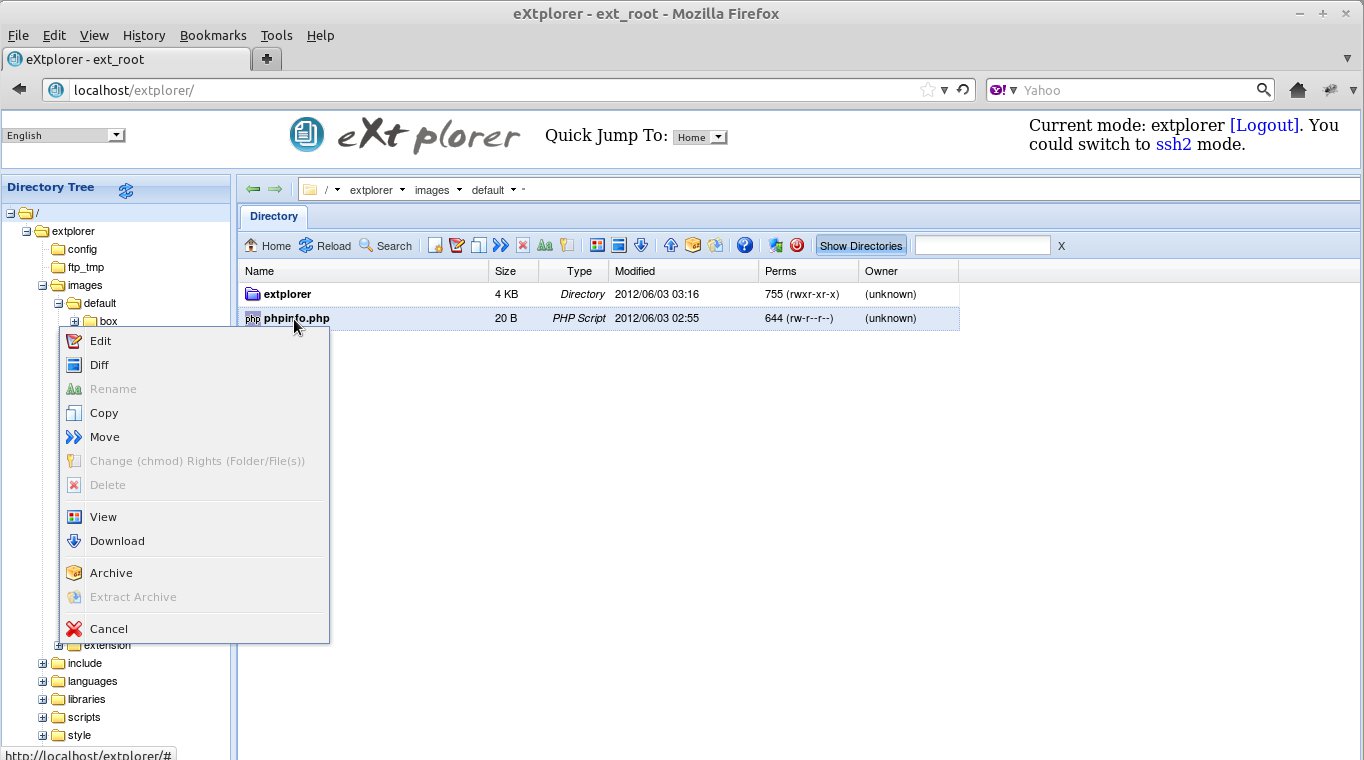
Context menu
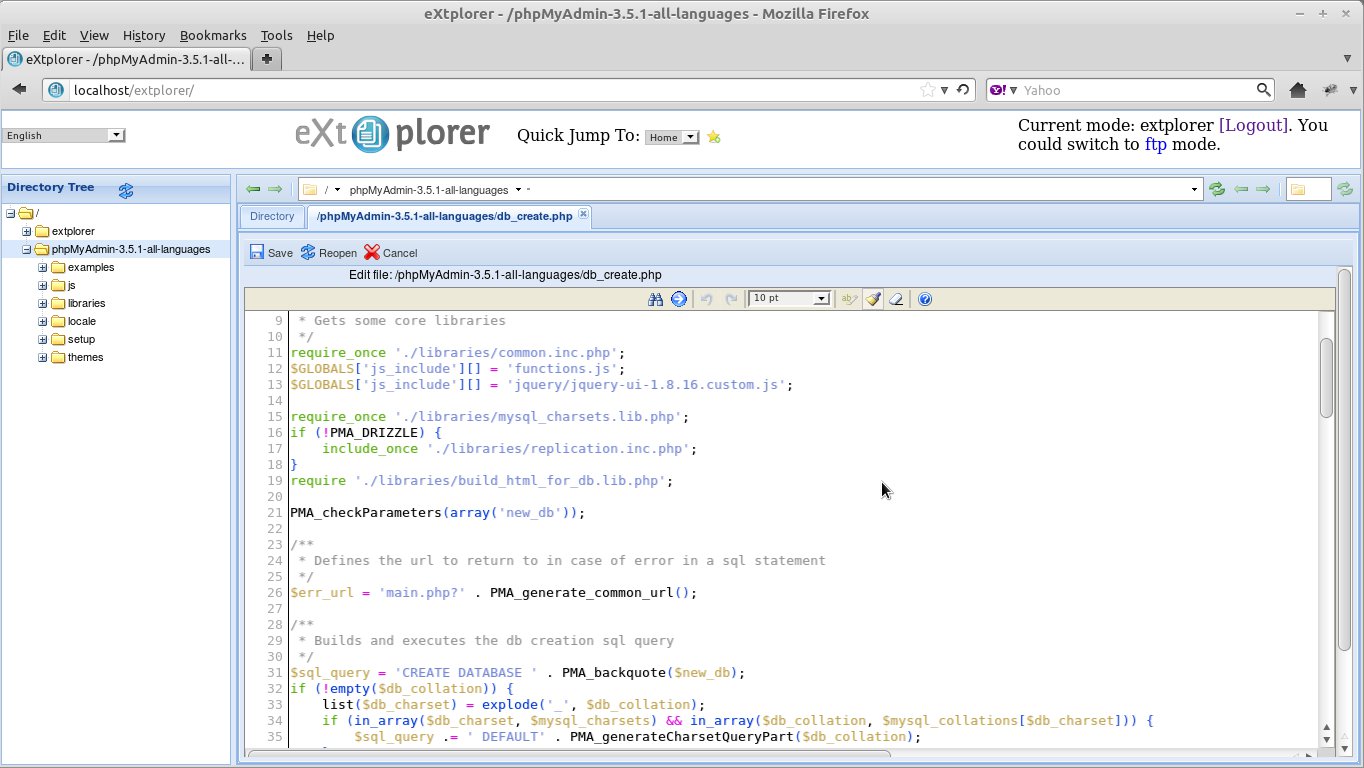
Text Editor
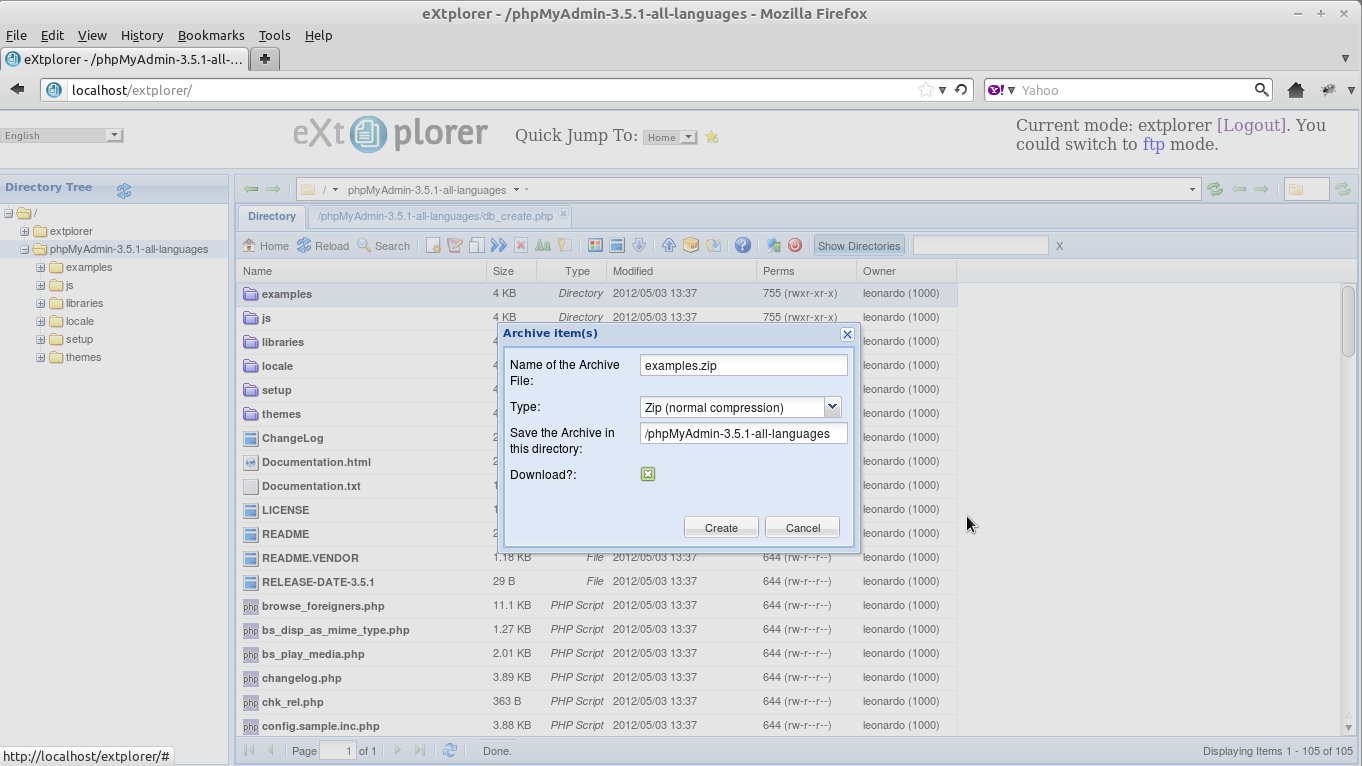
File compression
Installation:
As mentioned in the software's features list, it has 3 types of installation. Here we'll cover only the manual and Debian package installations. That said, I don't advise using the Debian package since there's no need for it and it comes with an empty users file. I actually believe it comes empty because eXtplorer ships with the admin user and admin password hard-coded in the .htusers.php file, which represents a security flaw for the system.
It's also extremely important to change the password after the first logon to eXtplorer.
Manual Installation
- Download the compressed file from this link.
- Extract the file on your computer.
- Upload the files via ftp to your web server or copy them into the local /var/www folder.
- Adjust the permissions.
-
If the server is remote, you need to give read and write permission to the apache user on the extplorer/ftp_tmp folder. For example:
$ chmod 777 ./explorer/ftp_tmp -
If the installation is on your local development server, you'll see the following message when trying to run the software:
Warning: require_once(/var/www/extplorer/libraries/standalone.php): failed to open stream: Permission denied in /var/www/extplorer/index.php on line 44 Fatal error: require_once(): Failed opening required '/var/www/extplorer/libraries/standalone.php' (include_path='.:/usr/share/php:/usr/share/pear') in /var/www/extplorer/index.php on line 44To fix it, type the following command in the shell:
$ sudo chown -R www-data /var/www/extplorer/
- Point the browser to http://
/extplorer and use login: admin and password: admin.
Change the password immediately!
Installation via Debian package
As I said earlier, I don't recommend this installation and I'm only putting it here as a curiosity. This test was done on Linux Mint Debian Edition.
-
Enter the shell and type the following command:
$ sudo apt-get update $ sudo apt-get install extplorer -
After downloading and installing, you'll need to recreate the contents of the .htusers.php file located in the /etc/extplorer directory.
$ cd /etc/extplorer
$ sudo nano .htusers.php
The file is empty, so insert the following code, which was extracted from version 2.1.0 RC 5 on 06/03/2012.
<?php /** @version $Id: .htusers.php 135 2009-01-27 21:57:15Z ryu_ms $ */ /** ensure this file is being included by a parent file */ if( !defined( '_JEXEC' ) && !defined( '_VALID_MOS' ) ) die( 'Restricted access' ); $GLOBALS["users"]=array( array("admin","21232f297a57a5a743894a0e4a801fc3",empty($_SERVER['DOCUMENT_ROOT'])?realpath(dirname(__FILE__).'/..'):$_SERVER['DOCUMENT_ROOT'],"",1,"",7,1), ); ?> -
Finally, create a symbolic link to eXtplorer inside apache's www directory:
sudo ln -s /usr/share/extplorer/ extplorer -
Point the browser to http://
/extplorer and use login: admin and password: admin.
Change the password immediately!
That's it, folks!
* EXTJS is a great framework for building rich internet applications (RIA). A good replacement option for Adobe Flex. I've already developed some applications using EXTJS and I recommend it!
Comments 12
Como faço para trocar o padrão das senhas para o do apache(squid)?
No arquivo init.php, na linha 85 começa um código para verificar se o extplorer está sendo executado no joomla e sendo assim ele não precisa de login. Você pode comentar o código deixando apenas a linha: $GLOBALS[“require_login”] = false;
Isso vai desabilitar o login deixando livre para você configurar o login do apache.
Tenta ai e depois compartilha conosco o resultado!
Amigo, você pode me confirmar se ele só funciona em joomla e wpress ou se eu quiser colocar em meu site php simples funciona? pois fiz alguns testes e nada funcionou.
Obrigado.
Funciona sim. Eu já usei em alguns sites. Qual erro está aparecendo?
Leonardo blz. Tem como determinar a partir de qual pasta o extplorer fara a leitura.
Ou seja nao gostaria que ele tivesse acesso a partir da raiz do site.
Gostaria de Criar uma nova pasta e partir desta a mesma serai a pasta raiz.
Valeu
Existem várias maneiras de fazer isso. Você pode determinar para cada usuário uma pasta root editando o arquivo config/.htusers.php alterando:
empty($_SERVER[‘DOCUMENT_ROOT’])?realpath(dirname(__FILE__).’/..’):$_SERVER[‘DOCUMENT_ROOT’]
pelo diretório que deseja.
No arquivo configuration.ext.php existe a seguinte entrada:
// THE SUBDIRECTORY USERS CAN BROWSE INCLUDING ALL SUBDIRECTORIES
// relative to your physical Joomla root path ($mosConfig_absolute_path)!
// Please note: You currently can’t exclude directories or files within
// the specified directory. All files and directories will be visible and downloadable
$subdir = ‘/dmdocuments’;
Experimente alterar o conteúdo de $subdir (nunca testei)
No Joomla, você pode editar o arquivo /includes/init.php e alterar o código próximo a linha 70:
$GLOBALS[‘home_dir’] = !empty( $_SERVER[‘DOCUMENT_ROOT’] ) ? $_SERVER[‘DOCUMENT_ROOT’] : ‘.’;
(Joomla! 1.5)
$GLOBALS[‘home_dir’] = JPATH_SITE;
ou
$GLOBALS[‘home_dir’] = ‘/my/real/homepath’;
Tem como bloquear para que o usuário nao copie arquivo nenhum para fora do ambiente?
Link quebrado mano. Não tá baixando.
O drag n drop nao funciona no meu. Testei em outros navegadores e nada. Saberia me dizer o que pode ser?
Não sei dizer…
É realmente uma excelente opção.
Eu faço o uso dele como FTP muiti usuário, já que o meu provedor
não tem essa ferramenta!
preciso de ajuda nesse script pode me auxiliar?