Inserting an image in a WordPress post
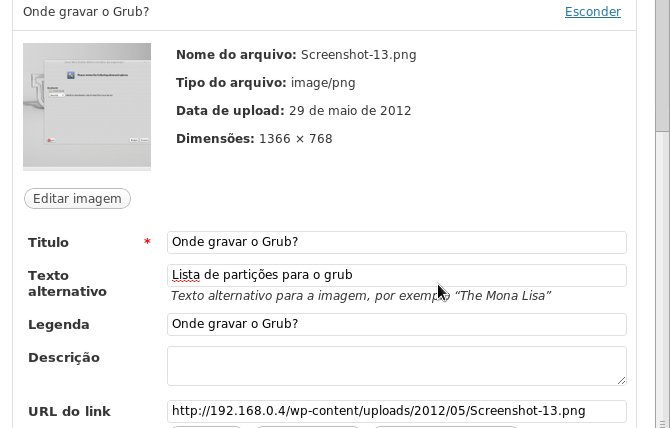
There I was writing a blog post, and when inserting an image, WordPress — like other CMSs — asked me for a title and alternative text for the image. In this case the title goes into the title attribute and the alternative text into the alt attribute. Since I want to keep the blog as correct and "search engine friendly" as possible, I went to research the difference between title and alt in an HTML <img> tag.
I had already read about the subject and knew that one of them was to describe the image for visually impaired people, but I wasn't sure which one or whether that was really it. So I researched and I'll answer here. Actually it's a bit more complex, as I explain below:
I confess that in my Joomla days I always filled in the same value for both. I even think that some wysiwyg (what you see is what you get) html editors, i.e. visual editors, already filled title and alt with the same value automatically. That was obviously back when there wasn't as much concern with web standards as there is today.
Actually the two attributes are quite different.

An image without the alt attribute
The title attribute should provide additional information and follow the rules of a common title: be relevant, short, easy to remember and concise. The title "Download Linux Mint Debian Edition" is shown in most browsers as a "tooltip" when you hover the mouse over the image.
The alt attribute, on the other hand, is meant to be alternative or substitute information that is rendered when the html element it's applied to isn't rendered. This can happen for people who chose to disable images in their browser, or for other "user agents" or browsers that simply can't see images. One example is a "screen reader", software that reads the content of a web page for visually impaired people.

Image with the alt attribute
Common Misconceptions
The alt attribute doesn't always have to literally describe the contents of an image. Keep in mind what would be useful to a person who can't see the image. The alt attribute should be an alternative to the image, usually expressing its purpose. For example, an image of a warning sign shouldn't have as its alternative text "a triangle with a yellow background, black borders and an exclamation point in the center", but simply "Warning!".
Internet Explorer 7 (always ie) and older browsers rendered the alt attribute as a tooltip, which led many web developers to use alt when they wanted to show tooltips containing additional information about the image (hence my mistake of always filling alt and title with the same information). Internet Explorer 8 fixed this mistake.
The alt attribute is often incorrectly called the "alt tag".
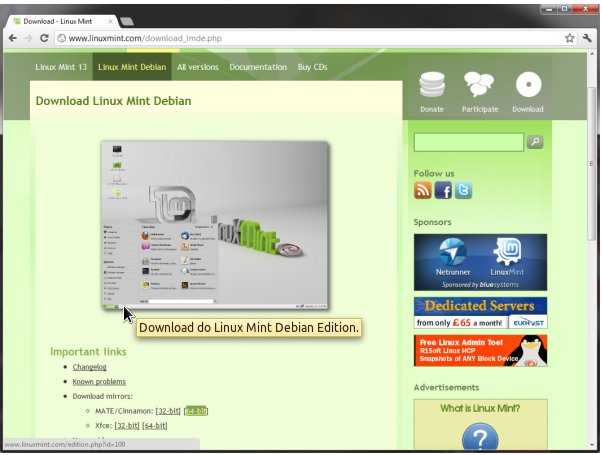
Image with the title attribute
Comments 0
No comments yet.